Editor plus : Photo editing to APK download for Android. Editor plus is a free photo editor app with multiple filters and photo effects to enhance and beauti
Editor plus : Photo editing to
Download apk
(23.19 MB)
Screenshot
Description
Content
Editor plus is a free photo editor app with multiple filters and photo effects to enhance and beautify your pic and can edit text as well. Editing images now very easy with our editor + application. Get a bright and hd quality effect and convert your image to the best picture.
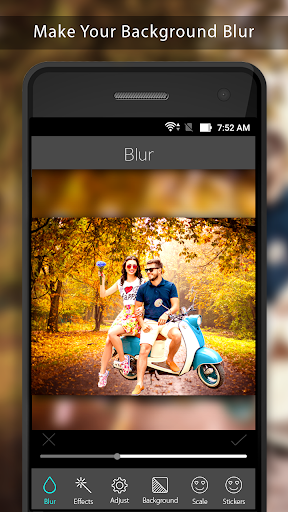
Editor plus, a full editing tools with amazing photo effects and bokeh effects, adjust (brightness, contrast, saturation), a retouch tool to blur image and square image output,
text editor, stickers, crop image, resize and rotate, photoshop type effects and many more.
Editor plus - full editor can beautify your photo by enhancing image quality and adding multiple effect for foto.
Image editing and text editing both can be possible only with this best picture editor app.
Image Editing Features :
1. Square image: No crop
Make your image square without cropping it. Add blur background and patterns to make your image square for making profile pic.
2. Effect Features:
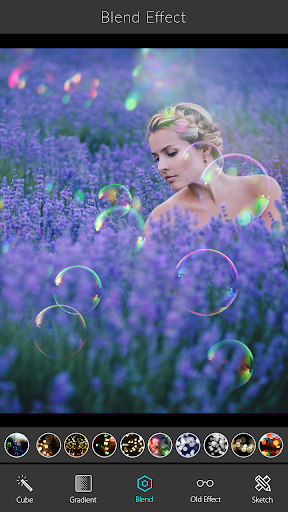
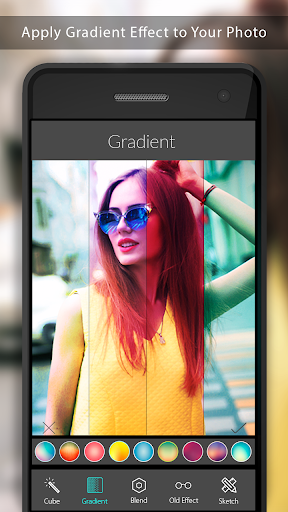
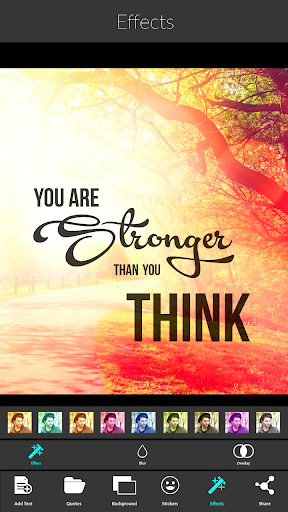
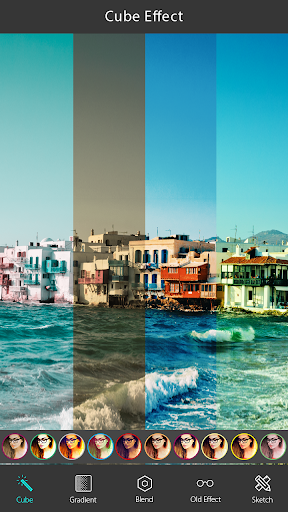
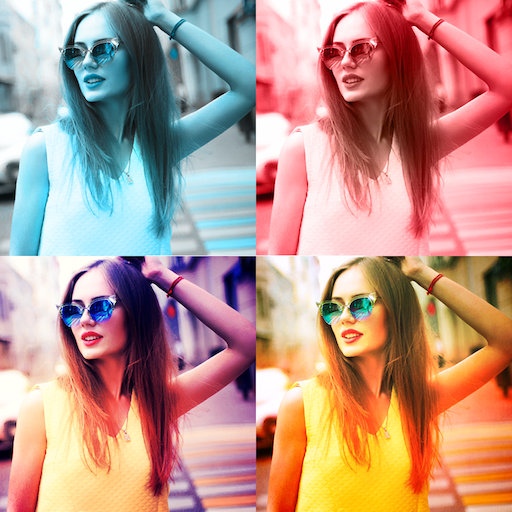
Gradient, Blend, old effect, sketch cartoon effect and many more. Add effects to make your photo more stunning and attractive. High quality and best photo effects you can find in this editor app.
3. Adjust:
Brightness, contrast, saturation, sharpness, smooth option are there to adjust according to your requirement.
4. Background:
Change background with patterns.
5 . Scale:
Resize your image using crop option. Editor plus supports multiple type of crop options. If required rotate image using rotate option.
6. Sticker:
Edit photo by adding multiple stickers. It contains lot of designed stickers.
7. Share Image:
Once you are done with editing share your image to social networks and save it.
Text Editor:
1. Text adjustment :
You can add text and align it to center, left and right. Text size can be adjusted.
2. Font :
Text editor supports lots of stylish fonts.
3. Quotations :
Editor plus lets you select and edit from our precomposed quotations. There are lot of category of quotations are there like love, friendship, anniversary, birthday, life, miss u etc...
4. Backgrounds :
Change background by selecting from our app. It contains unique type background images.
5. Stickers :
Add multiple stickers to decorate you image.
6. Share :
Save and share you image with you friends using social media.
Editor plus can be used as profile pic maker. It helps you to make profile pics for Facebook, instagram and many more which supports only square type images.
Editor plus is the one stop solution for editing pic, creating quotes with image and making profile pic.
Download today and make an awesome profile pic and get likes from your friends . Create your own greetings and compose text , use quotations and wish your beloved ones ...
Introduction
Editor Plus is a versatile photo editing software that caters to both novice and seasoned photographers. Its user-friendly interface and comprehensive toolset empower users to enhance, manipulate, and transform their images with precision and creativity.
Key Features
1. Basic Editing Tools:
* Crop, rotate, and resize images
* Adjust brightness, contrast, and saturation
* Remove red-eye and blemishes
* Sharpen and blur images
2. Advanced Adjustments:
* Color correction and white balance
* Tone curve and histogram adjustments
* Selective color adjustments
* Split toning
3. Layers and Masks:
* Create multiple layers to organize and manipulate image elements
* Use masks to control the visibility and blending of layers
* Blend layers using various modes
4. Effects and Filters:
* Apply a wide range of filters, including artistic, vintage, and black-and-white effects
* Adjust the intensity and blending of effects
* Create custom effects using layers and masks
5. Retouching and Healing:
* Remove unwanted objects and blemishes
* Heal and restore damaged areas
* Clone and stamp portions of the image
6. Text and Shapes:
* Add text and shapes to images
* Customize font, color, and effects
* Create custom brushes and patterns
7. File Management and Export:
* Organize images in folders and collections
* Export images in various formats and resolutions
* Share images directly to social media platforms
User Interface
Editor Plus features a modern and intuitive interface. The toolbar provides quick access to essential tools, while the panels on the right side allow for detailed adjustments. The workspace can be customized to suit individual preferences.
Learning Resources
Editor Plus provides a comprehensive set of tutorials, articles, and online forums to assist users of all skill levels. Additionally, the software offers context-sensitive help to guide users through specific tasks.
Compatibility and System Requirements
Editor Plus is compatible with both Windows and macOS operating systems. It requires a minimum of 2GB RAM and 1GB of free hard disk space.
Conclusion
Editor Plus is an exceptional photo editing software that combines ease of use with advanced capabilities. Its comprehensive toolset empowers photographers to unleash their creativity and produce stunning images. Whether you're a beginner looking to enhance your snapshots or a professional seeking precise control over your photographs, Editor Plus has everything you need to elevate your editing game.
Information
Version
Release date
File size
23.19 MB
Category
Photography
Requires Android
Developer
Installs
ID
com.appwallet.EditorPlus
Available on







High Quality Apps
-
 Oojao multi layer photo editorPhotographyAPK
4.14
GET -
 Passport Photo Maker, ID PhotoPhotographyXAPK
GET -
 Boys Fashion Jacket SuitsPhotographyAPK
GET -
 DSLR Photography Training appsPhotographyapk
4.1
GET -
 Photo To Silhouette MakerPhotographyAPK
3.1
GET -
 Bimostitch Panorama StitcherPhotographyapk
3.5
GET