Download the APK of Samsung Good Lock for Android for free. Customize your Samsung smartphone's lock screen. Samsung Good Lock is a tool that will allow...

Samsung Good Lock
Download apk
(12.63M)
Screenshot
Description
Content
Samsung Good Lock is a tool that will allow you to customize different elements of your Samsung device's interface and operation. By using different built-in features, you will easily give an eye-catching touch to your smartphone.
Within Samsung Good Lock there are several customization options, such as your Samsung's lock screen. Not only will you be able to modify the clock displayed in the central area, but also define the notifications' style or design so that everything matches your taste.
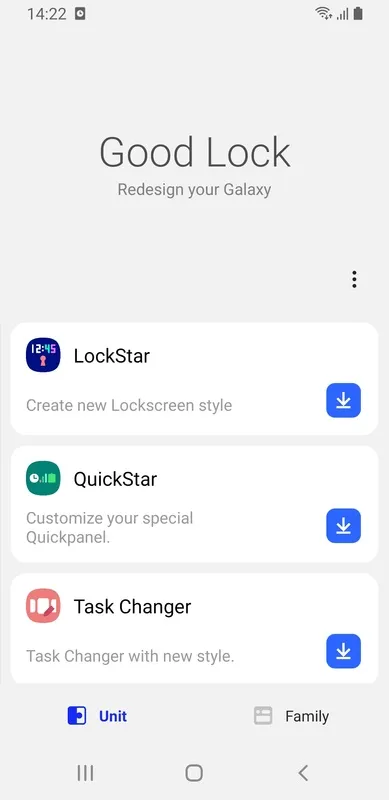
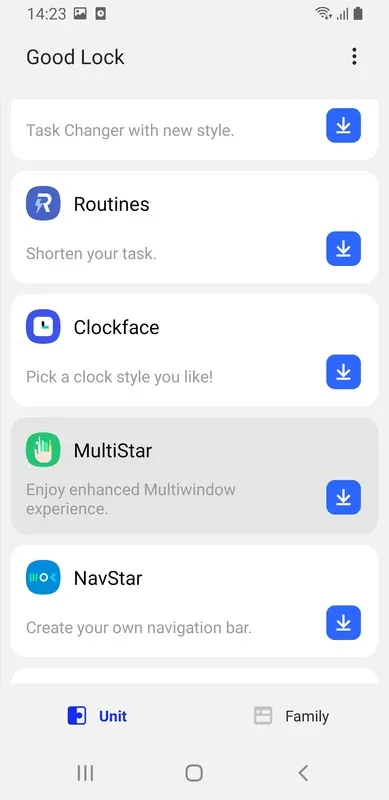
Another aspect to take into account within Samsung Good Lock is the utility called "Task Changer". By means of this feature, you will be able to adapt the style in which the apps and games that you have recently used are displayed in order to better access these elements. In addition, at any time you can modify the wallpapers you use or design your own creations to give a more personal touch to the interface.
Samsung Good Lock has lots of features designed to get the most out of your Samsung device. Just dig into each of the small apps to easily customize your Samsung as much as possible.
Samsung Good Lock is a powerful suite of customization modules that allows users to personalize their Samsung Galaxy devices far beyond the standard Android options. It transforms the user experience, offering granular control over various aspects of the interface, from the lock screen and quick panel to the recent apps screen and even the keyboard. Unlike traditional theming engines, Good Lock provides a modular approach, allowing users to select and install only the specific modules they desire, thus optimizing performance and avoiding unnecessary bloat.One of the core strengths of Good Lock lies in its ability to constantly evolve. Samsung regularly updates the modules with new features and improvements, often incorporating user feedback to refine the experience. This iterative development process ensures that Good Lock remains relevant and adapts to the changing needs of users and the evolving landscape of Android. The modularity also allows for faster updates and quicker implementation of new features, as each module can be updated independently without affecting the others.
The LockStar module, for example, offers unparalleled control over the lock screen. Users can customize the clock style, add shortcuts to frequently used apps, and even change the layout of notifications. This level of personalization allows users to create a lock screen that truly reflects their individual style and preferences. Furthermore, LockStar integrates seamlessly with other Good Lock modules, further enhancing the overall customization experience.
QuickStar, another popular module, revamps the quick panel and notification shade. Users can rearrange the icons, adjust the brightness slider, and even change the color scheme. This module offers a level of control that is simply not available in the standard Android interface, allowing users to optimize the quick panel for their specific needs and workflow. The ability to customize the notification shade is particularly useful, allowing users to prioritize important notifications and filter out distractions.
The Task Changer module provides a fresh perspective on the recent apps screen. Users can choose from various layouts, including list, grid, and stack views. This module offers a significant improvement over the standard Android recent apps screen, providing a more intuitive and visually appealing way to navigate between open applications. The different layout options cater to various user preferences, allowing for a more personalized and efficient multitasking experience.
The Clockface module allows users to personalize the appearance of the clock on the Always On Display and the lock screen. Users can choose from a wide variety of clock styles, from minimalist and modern to classic and analog. This module provides a simple yet effective way to add a personal touch to the device, reflecting individual style and preferences. The extensive collection of clock faces ensures that there is something for everyone, catering to a wide range of tastes.
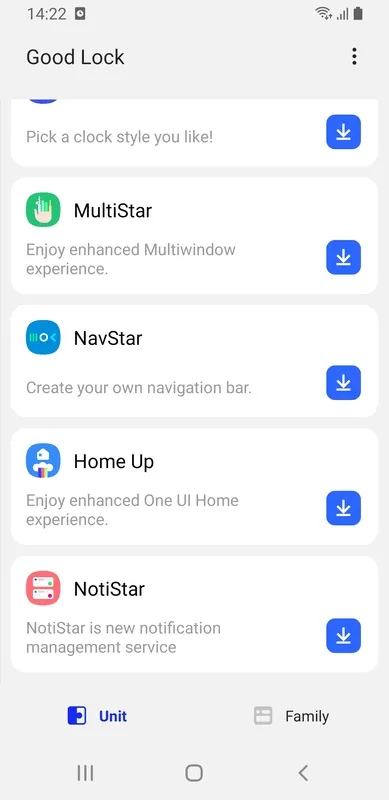
The MultiStar module enhances multitasking capabilities by providing advanced features like pop-up view and split-screen mode. This module is particularly useful for power users who frequently work with multiple apps simultaneously. The ability to quickly switch between apps and adjust the size and position of windows greatly improves productivity and efficiency. MultiStar transforms the way users interact with their devices, making multitasking seamless and intuitive.
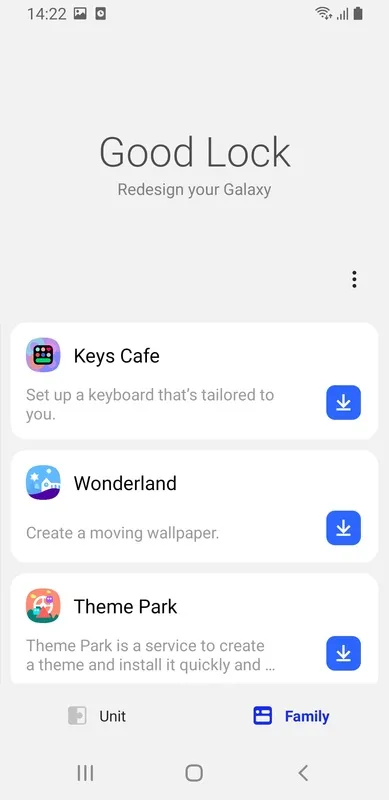
The Theme Park module allows users to create their own custom themes based on their wallpaper. This module extracts colors from the wallpaper and applies them to various system elements, creating a cohesive and visually appealing look. Theme Park empowers users to express their creativity and personalize their devices with unique and personalized themes. The ability to create themes based on existing wallpapers ensures a seamless and harmonious aesthetic throughout the device.
The NavStar module allows users to customize the navigation bar, including the button layout and icon style. This module provides a significant improvement over the standard Android navigation bar, offering greater flexibility and control. Users can choose from a variety of navigation bar styles, including traditional buttons, gestures, and even a combination of both. This level of customization allows users to optimize the navigation bar for their specific needs and preferences.
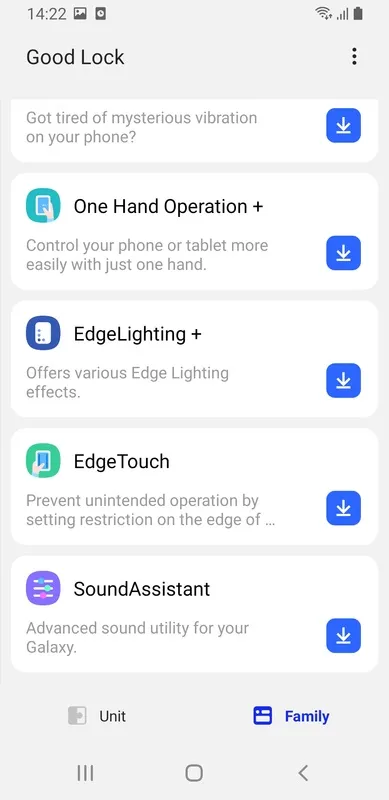
The One Hand Operation + module enhances one-handed usability by providing customizable gestures for navigating the device. This module is particularly useful for users with larger devices, making it easier to reach all areas of the screen with one hand. The customizable gestures allow users to tailor the experience to their specific needs, improving accessibility and ease of use.
The EdgeTouch module allows users to define custom handle areas on the edges of the screen for accessing frequently used functions. This module provides a convenient way to access apps, shortcuts, and other features without interrupting the current task. The customizable handle areas allow users to optimize the edge panels for their specific workflow, improving efficiency and productivity.
Good Lock is not just a collection of customization modules; it's a testament to Samsung's commitment to providing a truly personalized user experience. It empowers users to take control of their devices and tailor them to their individual needs and preferences. The constant evolution of Good Lock, driven by user feedback and the latest Android advancements, ensures that it remains a valuable asset for Samsung Galaxy users.
Information
Version
2.2.04.95
Release date
Apr 29 2024
File size
12.63M
Category
Casual
Requires Android
Android 8.0 or higher required
Developer
Samsung Electronics Co., Ltd.
Installs
1,743,670
ID
com.samsung.android.goodlock
Available on